Yet Another Clothes Changing Transition You Can Do
The same change, a few times in a row. Here is how to keep every take on the same mark.
One outfit change is a trick. Doing it again, and again, without the frame sliding underneath you, is a format.
If you haven’t shot a single change yet, start there. This is the same thing repeated, and the difference is entirely about drift.
Why repeating it is harder
Two takes means one join. Five takes means four joins, and the errors add up. Drift a couple of centimetres each time and the last take is visibly somewhere else than the first. The first take is what the viewer anchors on, so the fit you saved for last is the one that looks wrong.
The rule: match every take to the one directly before it, at the same moment in the movement.
Step 1: Pick the move once, then never change it
One movement, repeated identically for every fit:
- Hand across the lens. Fast, forgiving, hides a lot.
- Turn away and back. The change happens on your back.
- A jump, cut at the top. Hardest to match, best looking.
- Walking past the frame edge. You exit left, the next fit enters left.
It has to be something you can do the same way tired, in heels, several outfits deep.
Step 2: Lay the shoot out first
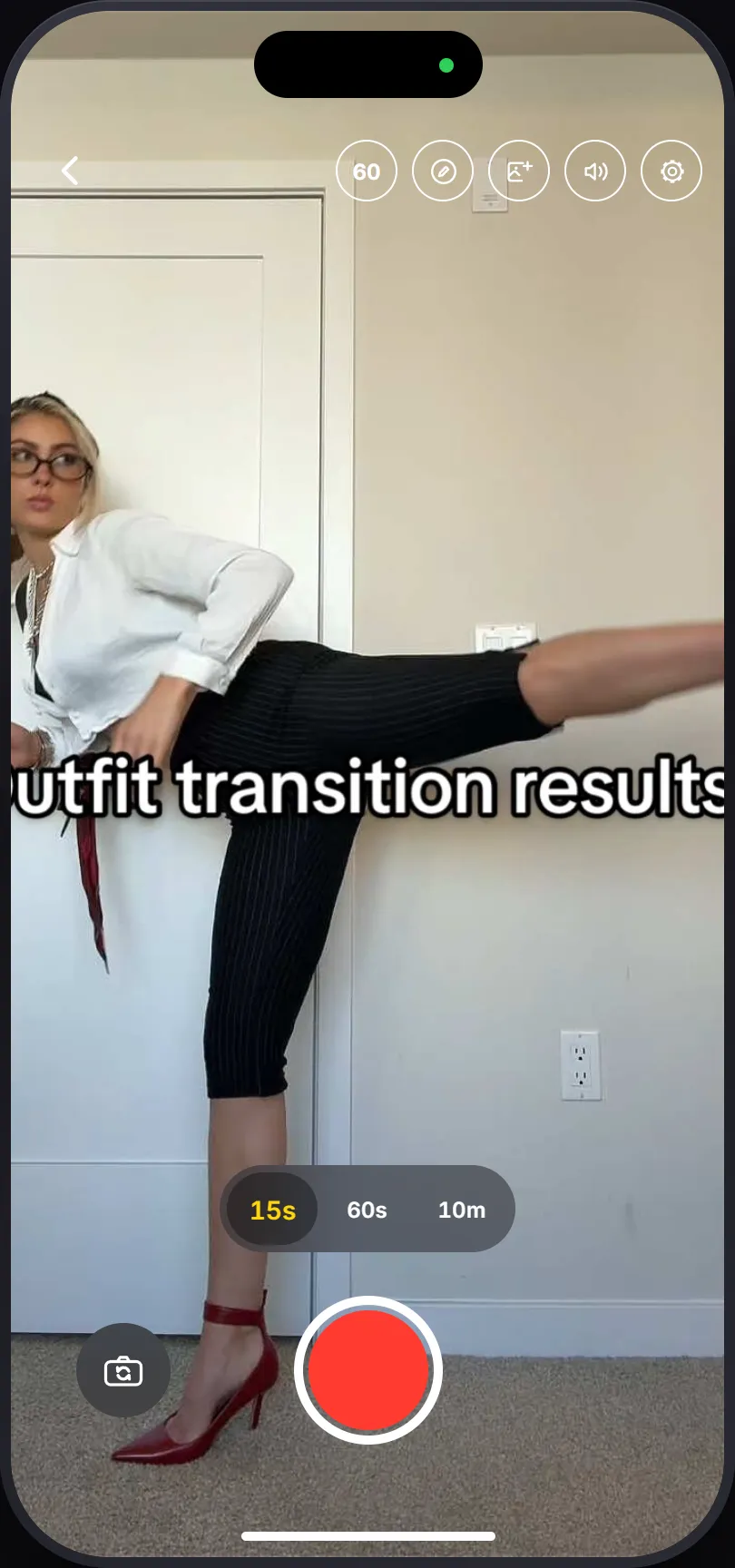
Set the phone somewhere it won’t be touched. Pick the frame rate now, so every take is shot the same way.
Then use the draw tool. Sketch a line on the floor where your feet are and a mark where your shoulder sits. Those strokes stay on screen for every take and survive closing the app. They’re the one reference that doesn’t drift as the outfits change shape.
Add the sound now too, because you want to hear it while you perform. Full walkthrough here.
Every take plays the track from where the finished video has reached, so the third change is performed against bar three, not bar one.
Step 3: Shoot the first fit, longer than you think
A couple of seconds of nothing, then the movement, then carry on moving for a beat. You can trim later. You can’t add footage you never shot.
Step 4: Pick the same reference moment, every time
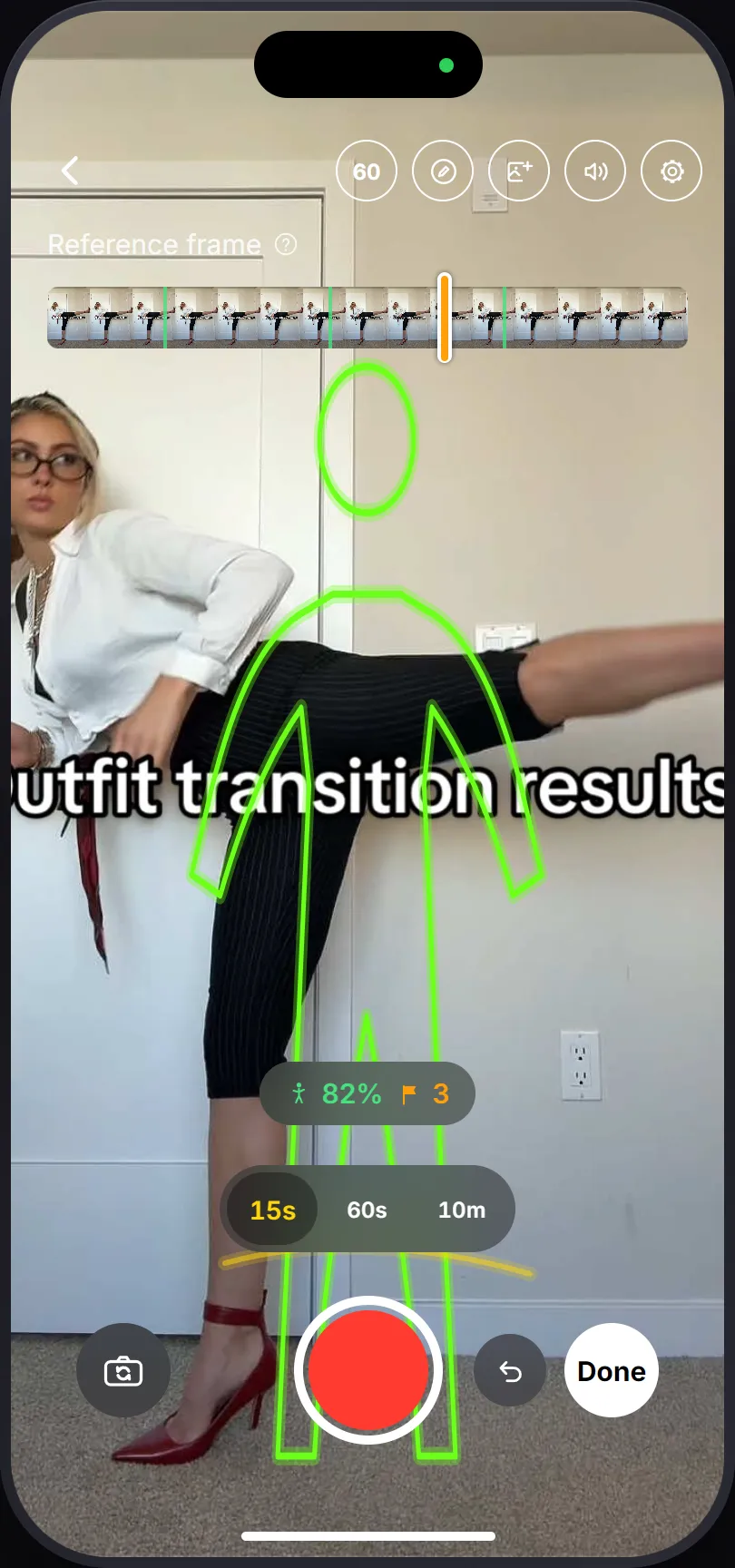
After each take the scrubber appears over a thumbnail strip. The green marks show where you were holding still. Pick the same point in the movement every time, always the frame where your hand is halfway across the lens, say.
Don’t pick a good frame each time. Pick the frame, over and over.
Step 5: Change, match, repeat
- Check the ghost against the room. If the bookshelf doesn’t line up, the phone moved. Fix the phone before you fix yourself.
- Step into the outline and wait for the match pill to go green.
- Record, movement, carry on past it.
- Bad take? Hit undo next to the shutter. It deletes the last take and puts the guide back on the one before.
Every extra fit is another round of this. It’s repetitive, and that’s the job.
Step 6: Cut it
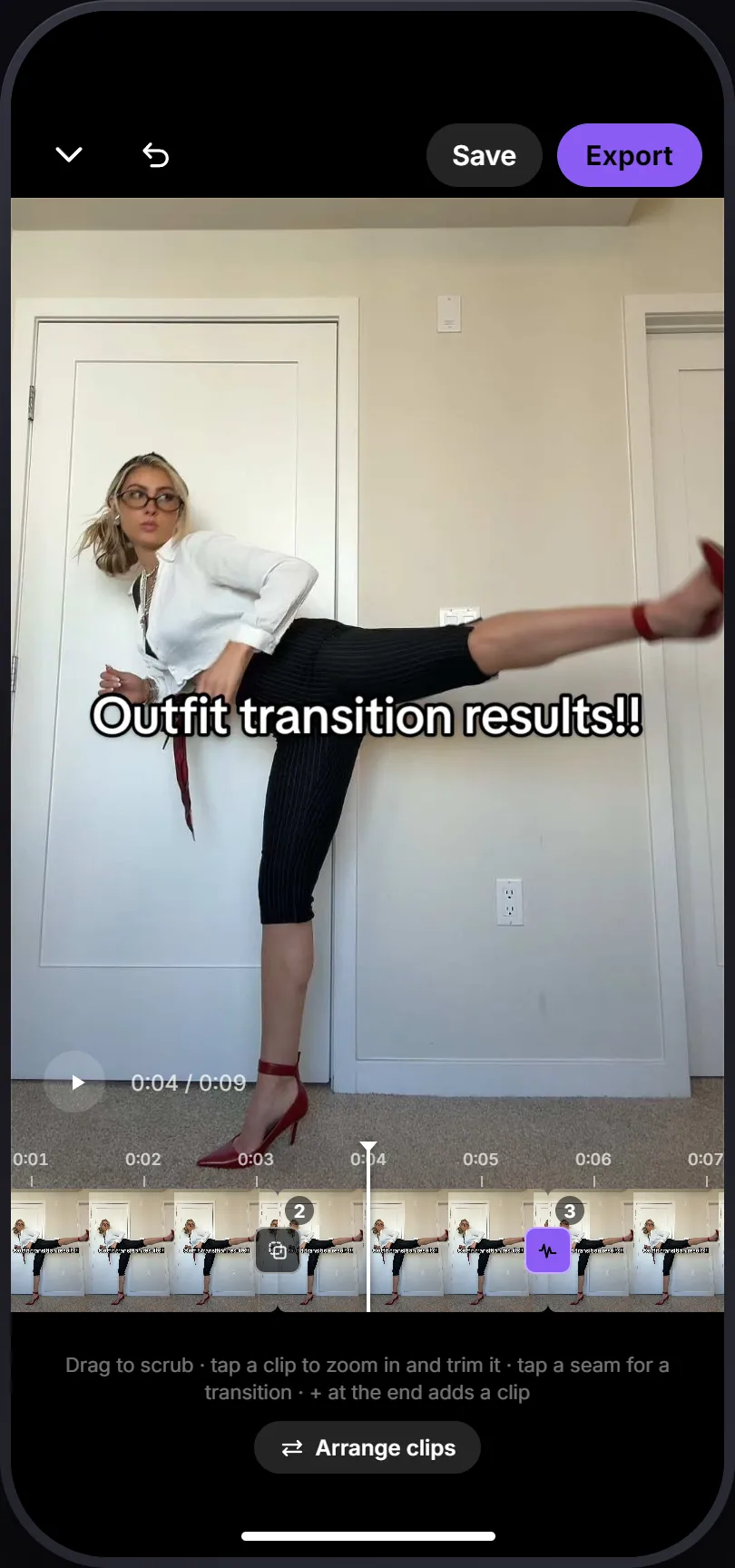
Done opens the editor.
- Tap each clip to trim it.
- Wrong order? Tap Arrange clips and drag the tiles around. Save the best fit for last.
- Tap each seam to set the join.
- Play it end to end. The preview is the export.
The two ways a long run dies
Drift. By the last fit you’re standing 10cm closer than you were in the first. The ghost catches this if you actually look at it. Check the background, not yourself.
Color creep. A stack of takes across twenty minutes and the room got darker. Color matching pins to the first take, which handles most of it. Takes you already shot keep the old look, so finish the run in one sitting.
If it’s your first run, keep it short
Two changes gives you two joins, which is enough to prove the format. A short run that’s perfectly matched beats a long one that drifts.
Also: the couples version, which is harder than it looks.